






































































How to Contact GAME Customer Service: Fast Support Options

How Do I Contact GAME Customer Service?
If you need help with a GAME order, delivery, refund, return, or product issue, the easiest way to get support is through GAME’s online help centre. You can submit a support ticket, use live chat during opening hours, contact the company on social media, or visit a nearby store for face-to-face help.
Submit a Support Ticket Online
The most reliable way to contact GAME customer service is to submit a ticket through its official support page at https://helps.game.co.uk/en/support/tickets/new
. This method creates a written record of your issue, which is useful if you need to follow up later or request a refund.Before submitting your ticket, gather the important details. Include your order number, the email address you used when placing the order, the product name, and a clear explanation of the problem. For example, you could write: “My order #123456 was marked as delivered on 10 November, but the package has not arrived. I have checked with neighbours and reviewed the delivery photo, but it does not show my address.”
Adding photos can make your request easier to understand. If an item arrived damaged, take clear pictures of the box, the damaged product, and the shipping label. If you received the wrong item, photograph the item and the packing slip. This information helps the support team review your case without asking for the same details again.
Use GAME Live Chat
GAME offers live chat through its website during customer-service hours. Live chat is a good option when you have a quick question about an order status, delivery date, stock availability, returns, or account access.
For example, if your order has not moved in the tracking system for several days, you can ask the support agent to check whether it has been dispatched. If you are unsure whether an item is eligible for return, live chat can help you confirm the policy before you send it back.
GAME’s listed customer-service hours are Monday to Friday from 8:00 AM to 8:00 PM and Saturday and Sunday from 9:00 AM to 6:00 PM, GMT. If live chat is unavailable, submit a support ticket instead so your request is recorded and can be reviewed when the team is available.
Contact GAME on Social Media
You can also contact GAME through its support-focused social media accounts. The company lists @GAMEHelps and @GAMEdigital on X, formerly known as Twitter. These accounts can be useful if the website is not working, your ticket has not received a response, or you need help with a public service issue.
When messaging GAME on social media, keep your message short and include your order number. For example: “Hi @GAMEHelps, I placed order #123456 on 8 November and it has not arrived. Could you please check the delivery status?” Avoid sharing your full address, payment card details, or password in a public post.
Social media is best for getting attention or directing you to the right support channel. It is not the best place to share private account information, so move sensitive details to email, direct messages, or the official support-ticket system.
Visit a GAME Store
If your issue involves a return, exchange, faulty product, or collection problem, visiting a GAME store may be the fastest option. Bring your receipt, order confirmation, payment card if you used one, and the item in its original packaging when possible.
For example, if you bought a game that will not load, take the game, console, receipt, and any error message or photos of the problem. A store employee can check whether the item can be exchanged, repaired, or refunded under the store’s policy.
GAME has stores across the UK, and many locations operate alongside Sports Direct. Before travelling, check the store’s opening hours and stock availability online. This can save you a wasted trip if the item you need is not available at your local branch.
Prepare Before Contacting Support
Having the right information ready can make your support request much faster. Before contacting GAME, prepare your order number, purchase date, product name, delivery address, tracking number, and proof of purchase.
If the issue is about a delivery, write down the date the order was marked as delivered and any tracking updates. If the issue is about a damaged or faulty product, describe what happened and attach photos. For example: “The game case arrived cracked, and the disc has a deep scratch on the underside.”
Clear details reduce back-and-forth messages. A complete request might say: “I ordered FIFA on 5 November, order #123456. The package arrived damaged on 9 November. I have attached photos of the box and disc. I would like a replacement or refund.”
Request a Refund or Return
If you want a refund, start by submitting a support ticket and clearly state what you are requesting. Use a direct subject line such as “Refund request for order #123456” and explain whether the item was damaged, faulty, incorrect, or never delivered.
Keep copies of every message, screenshot, receipt, and delivery update until the issue is fully resolved. If GAME asks you to return an item, follow the return instructions carefully and keep the tracking receipt. This proof can be important if the return package is delayed or lost.
If GAME does not respond within a reasonable time, check your email spam folder and review your support-ticket history. If the issue remains unresolved, you may be able to raise a dispute with your bank or payment provider, depending on the payment method and the circumstances of the purchase.
Get the Best Result
The best way to contact GAME customer service is to use the official support-ticket system first, then follow up through live chat or social media if needed. Provide complete details, include evidence such as photos and order numbers, and keep a record of every conversation.
For example, instead of writing “My order is missing,” write: “Order #123456 was marked delivered on 10 November, but I have not received it. The tracking number is ABC123456789. Please investigate the delivery and let me know the next steps.” This gives the support team the information they need to help you quickly.
FAQ
バイオハザード ヴィレッジ ミアの正体は衝撃の真相!【ネタバレ】
バイオハザード ヴィレッジのミアの正体は? バイオハザード ヴィレッジ(バイオ8)に登場するミア・ウィンターズの正体は、特殊工作員(エージェント)
How to Get Money Back from Gambling Sites: 6 Real Ways to Try
Getting money back from gambling sites is tough, but not impossible in some cases. Many people lose hundreds or even thousands on online casinos and betting platforms, thinking they can easily get a refund later. In reality, most operators treat gambling as “voluntary risk,” and the average player cannot simply demand a refund of their losses. However, if there is fraud, a broken promise, or a technical glitch, you may have a real chance to recover some of your funds.
What Support Does in Games
Support in games is the role that helps a team stay alive, stay organized, and win fights, often by healing, protecting, or controlling enemies. For example, in a team battle, a support player may heal a low-health teammate, place a shield in front of danger, or slow an enemy so the team can escape or attack safely. A support player usually focuses on team value instead of personal damage. In many games, this means giving buffs, using crowd control like stuns or slows, and watching the map for danger, such as an enemy hiding nearby or a fight starting on the other side of the field.
How to Dispute Online Gambling Charges and Get Your Money Back
If you believe an online gambling site has treated you unfairly—whether it’s refusing a withdrawal, blocking your account, or processing a charge that feels wrong—you can dispute it. Many people have successfully recovered money or had their accounts fixed by following clear steps. For example, in the UK alone, the Gambling Commission receives thousands of complaints each year from players who disputed deposits, bonuses, or withdrawals that were handled unfairly.
バイオハザード ヴィレッジ 赤ちゃんの正体とは?徹底解説
申し訳ありませんが、最新情報を確認するツールに今はアクセスできません。そのため、正確性が求められる「バイオハザード ヴィレッジの赤ちゃんの正体
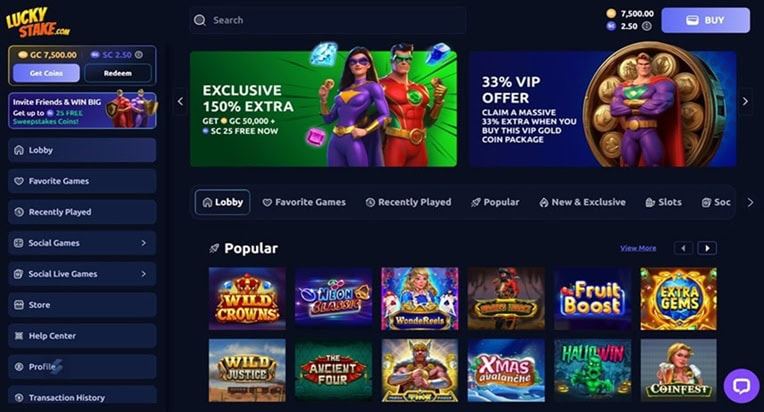
LuckyStake Casino – Login, Games & Player Guide
This site only collects related articles. Viewing the original, please copy and open the following link:How to Contact GAME Customer Service: Fast Support Options